


How Custom Software Development Works: A Buyer’s Guide
A practical buyer’s guide to custom software discovery, requirements, architecture, delivery, migration, rollout, and support—plus the decisions that prevent expensive rework.

Custom software development turns a specific business workflow into a system your team can operate. It may replace spreadsheets, connect disconnected tools, provide a customer or partner portal, automate approvals, centralise operational data, or modernise a system the business has outgrown.
The difficult part is rarely writing the first line of code. It is defining the real workflow, deciding what must change, protecting the data, managing exceptions, and introducing the new system without disrupting the business.
This guide explains the process from a buyer’s perspective. It is the cornerstone resource for the Custom Software Development knowledge hub. If you are still deciding whether a bespoke system is justified, start with When to Build Custom Software Instead of Buying Another SaaS Tool.
What counts as custom software?
Custom software is designed around the requirements of one organisation or a tightly defined operational context. Common examples include:
- Internal administration tools.
- Customer, supplier, staff, or partner portals.
- Operational dashboards.
- Approval and case-management workflows.
- Scheduling, inventory, or order-management systems.
- Automations connecting existing tools.
- Data migration and legacy-system replacements.
- Applications that expose a controlled part of an internal process to customers.
Custom software is not automatically a SaaS product. If the goal is to sell one repeatable product to many subscribing customers or organisations, with tenant isolation, plans, billing, and product-led onboarding, the project belongs in the SaaS Development knowledge hub. A single-company operations platform belongs here even when employees, customers, and partners all use it.
Should you buy, configure, integrate, or build?
Custom development should solve an important constraint, not satisfy a preference for ownership. Start by checking whether a standard product can support the process without forcing the team into harmful workarounds.
| Approach | Best fit | Main trade-off |
|---|---|---|
| Buy standard software | The workflow is common and the product already covers it well | You adapt to the vendor’s model and roadmap |
| Configure a platform | The process needs custom fields, permissions, views, or rules | Complex configuration can become difficult to govern |
| Integrate existing tools | The right systems exist but data or actions are disconnected | Reliability depends on several vendors and APIs |
| Build custom software | The workflow is differentiating, constrained, or poorly served | You accept product ownership and ongoing maintenance |
Custom software becomes more defensible when the current process creates repeated manual work, unreliable data, duplicated entry, slow decisions, compliance risk, poor customer visibility, or an inability to scale. It is less defensible when the main requirement is a standard function already handled well by mature tools.
The custom software process at a glance
| Stage | Buyer decision | Expected output |
|---|---|---|
| 1. Problem framing | Which operational result matters? | Problem statement, goals, constraints |
| 2. Discovery | How does the work actually happen? | Workflow map, users, systems, exceptions |
| 3. Requirements | What must the first release do? | Prioritised scope and acceptance criteria |
| 4. UX and architecture | How should users and systems interact? | Prototype, data model, integration plan |
| 5. Delivery | How will progress be reviewed? | Working increments in a test environment |
| 6. Verification | Is the system correct and safe to adopt? | Test evidence, migration rehearsal, fixes |
| 7. Rollout | How will people move to the new process? | Training, deployment, support, fallback plan |
| 8. Operation | Who owns reliability and improvement? | Monitoring, maintenance, roadmap |
1. Frame the operational problem
Do not begin with “we need a dashboard” or “we want an app like this competitor.” Begin with the blocked outcome.
A useful problem statement describes:
- Who performs the work.
- What triggers the process.
- Which information is required.
- Where delays, mistakes, or duplicate effort occur.
- Which rules govern the decision.
- What completion looks like.
- What happens when the normal process fails.
For example: “Operations staff receive requests through email and spreadsheets, manually confirm missing information, assign work, and update customers separately. We need one controlled workflow that captures complete requests, applies assignment rules, records status changes, and gives customers an appropriate view.”
That statement is more valuable than a feature list because it explains why the system exists.
2. Map the current workflow during discovery
Discovery is an investigation, not a long sales meeting. The development team should observe or interview the people who perform the work, inspect current forms and spreadsheets, identify systems of record, and document exceptions.
Include frontline staff. A senior stakeholder may understand policy but not every workaround required to complete a task. Include the people responsible for security, compliance, reporting, and customer support where relevant.
Questions discovery should answer
- Which roles participate, and what may each role see or change?
- What event starts and ends the workflow?
- Which fields are mandatory, calculated, or sensitive?
- Which decisions need approval?
- Which notifications are required, and when?
- Which external systems supply or receive data?
- What must be auditable?
- Which unusual cases break the normal path?
- How will historic data be cleaned and migrated?
- What would make users reject the new system?
The output should be a shared model of the operation. If the buyer and development team cannot agree on that model, detailed estimation is premature.
3. Convert the workflow into prioritised requirements
A requirement should connect a user, an action, a rule, and a verifiable result. “Add role management” is vague. “An administrator can assign a case worker role that allows the user to view assigned cases but not billing data” can be reviewed and tested.
Separate requirements into:
- Must have: the workflow cannot operate safely without it.
- Should have: valuable, but a controlled workaround exists.
- Could have: useful after the core process proves itself.
- Not in this release: explicitly excluded to protect focus.
Also record non-functional requirements. These cover performance, availability, accessibility, browser or device support, retention, backups, privacy, security, and recovery. They may not appear as buttons on a screen, but they shape the architecture and effort.
4. Prototype the difficult decisions
Prototypes are most useful when they test risk. Focus on complex forms, role-dependent views, approvals, search, status changes, or the hand-off between an external portal and an internal team.
At the same time, define the system boundaries:
- Which application is the source of truth for each data type?
- Which integrations are real-time, scheduled, or manual?
- What happens when an external API is unavailable?
- Which actions must be idempotent to prevent duplicates?
- Which events require an audit record?
- How will users authenticate and recover access?
The prototype validates the human workflow. The architecture validates how data, permissions, integrations, and operational risk will be handled. Both are needed before a complex build is treated as fully understood.
5. Deliver working slices, not a hidden “big reveal”
Custom software should be reviewed in coherent increments. A useful slice may include request creation, validation, assignment, status changes, notification, and the relevant audit history. That is more informative than demonstrating several disconnected screens.
Each review should answer:
- Does this match the real workflow?
- Are permissions correct?
- Are important states and exceptions represented?
- Is the terminology familiar to users?
- Does the system record enough context for support and audit?
- What has been accepted, changed, or deferred?
Keep one prioritised backlog and one decision log. Uncontrolled requests from multiple stakeholders are a common source of delay and contradictory behaviour.
6. Treat integrations and migration as product work
An integration is not complete when two systems exchange a sample record. It also needs authentication, field mapping, validation, retries, duplicate prevention, logging, monitoring, and a recovery process.
Data migration requires similar care. Inventory the existing sources, define ownership, remove duplicates, normalise values, map identifiers, test the migration, and reconcile results. Preserve the original data until the new system has been verified.
Migration readiness checklist
- Every source and data owner is identified.
- Required and optional fields are mapped.
- Invalid, duplicate, and incomplete records have a rule.
- Permission-sensitive data is classified.
- A representative test migration has been reviewed.
- Record counts and critical totals can be reconciled.
- The cutover and rollback responsibilities are documented.
7. Verify behaviour, security, and usability
Testing should trace requirements back to observable behaviour. Include normal paths, permission boundaries, invalid input, integration failures, duplicate submissions, interrupted sessions, and recovery procedures.
Security is not a final checklist item. Authentication, authorisation, sensitive-data handling, secret management, audit logs, backups, retention, and dependency maintenance must be considered throughout the project.
Ask actual users to complete realistic tasks in the test environment. A technically correct system can still fail if staff cannot understand its status labels, search behaviour, or error messages.
8. Roll out the operational change
Deployment and adoption are different activities. The software may be online while the organisation still relies on the old spreadsheet, inbox, or informal approval process.
A rollout plan should cover:
- Who moves first and whether a pilot group is appropriate.
- When new entries stop being accepted in the old system.
- How users are trained for their specific roles.
- Where support requests go.
- Which issues require rollback or an urgent correction.
- How adoption and data quality will be reviewed.
- Who owns configuration and access after launch.
Where operational risk is high, use a staged rollout and a time-limited fallback plan rather than an indefinite parallel process.
What DIONIX’s public-facing projects teach about workflow definition
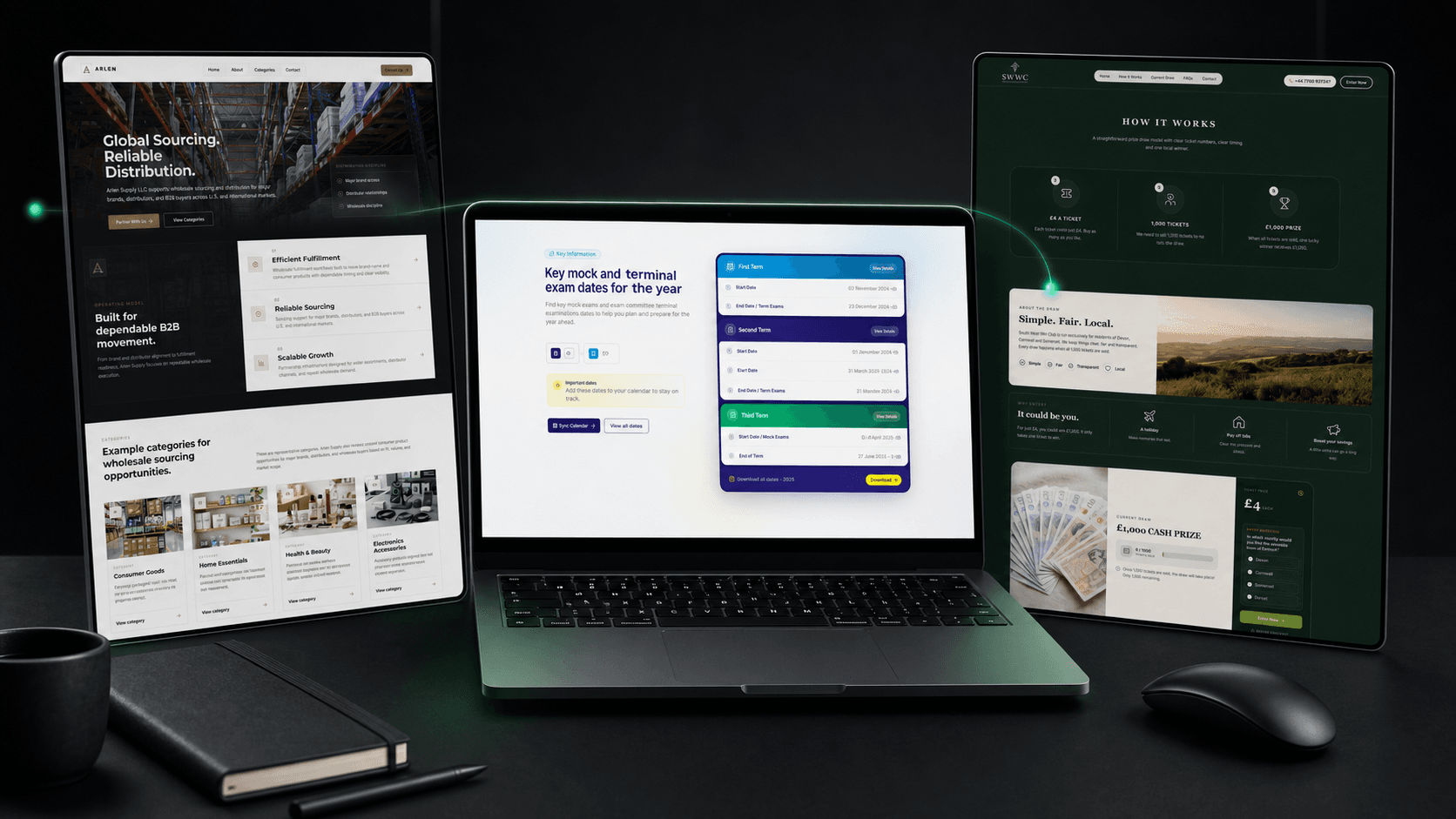
A public website is not proof that a custom back-office platform was built. However, public journeys reveal the domain information and states that a future operational system may need to support. The distinctions below are deliberate: these case studies demonstrate workflow analysis, not an unverified claim about internal software.
| Published project | Verified public-facing workflow | Relevant buyer lesson |
|---|---|---|
| OVEC Exams | Term schedules, subject coverage, service comparison, quote-request steps, and structured exam enquiries | Requests need clear fields, context, routing, and status ownership before automation is designed |
| Arlen Supply | Operating model, supplier fit, category opportunities, and a focused wholesale-sourcing enquiry | A partner workflow should distinguish organisation, contact, category, fit, request, and follow-up responsibility |
| South West Win Club | Ticket mechanics, regional positioning, prize details, FAQs, contact routes, and trust cues for a paid local draw | Transaction states, rules, exceptions, communications, and auditable administration must be defined explicitly |
| Topphox | Category discovery, product grids, warranty messaging, reviews, and newsletter capture for refurbished devices | Customer-facing promises such as availability and warranty need clear systems of record and operational ownership |
How custom software is priced
Cost follows uncertainty, scope, and operational risk more than screen count. Important drivers include the number of roles and workflows, complexity of permissions, integrations, data migration, audit requirements, offline or real-time behaviour, reporting, regulatory constraints, and the condition of legacy data.
Buyers should expect estimates to become more reliable after discovery. A proposal produced before the workflow and integration risks are understood may contain broad assumptions or recover uncertainty through change requests.
Ask what the estimate includes: discovery, design, development, testing, environments, migration, training, deployment, monitoring, documentation, warranty corrections, and ongoing support.
How to evaluate a custom software partner
A capable partner should be able to explain the business workflow before presenting an architecture. During evaluation, ask:
- How will you discover exceptions and unstated rules?
- How will requirements and acceptance decisions be recorded?
- How will permissions and sensitive data be reviewed?
- How will integrations be monitored and recovered?
- How will migration be rehearsed and reconciled?
- How often will users review working software?
- Who owns accounts, source code, infrastructure, and documentation?
- What support is available after launch?
Look for clear trade-offs rather than automatic agreement. A partner should be willing to recommend buying or integrating an existing product when custom development is not justified.
Buyer’s pre-discovery checklist
- Write the operational problem in one paragraph.
- Name the process owner and approval stakeholders.
- List every user role, including external users.
- Collect current forms, spreadsheets, reports, and instructions.
- List the systems that hold relevant data.
- Identify sensitive data, retention rules, and audit needs.
- Document the most expensive or dangerous exceptions.
- Define the minimum useful first release.
- Choose who can make scope decisions promptly.
- Plan for training, migration, support, and maintenance.
Your next step
If the problem is still described mainly as a desired feature, spend time mapping the current workflow before requesting a full build quote. A good discovery conversation should leave you with clearer decisions even if the project does not proceed immediately.
Explore the Custom Software Development knowledge hub for build-versus-buy, requirements, integration, portal, and modernisation guidance. When the workflow is important enough to own, review DIONIX’s custom software development service.
Continue Reading
View Custom Software Development
When to Build Custom Software Instead of Buying Another SaaS Tool
Buying another SaaS subscription can feel easier than building custom software, but growing businesses eventually need systems that match their workflows, data, permissions, and customer experience.
Business Website Development Guide: From Strategy to Launch
A practical guide to planning, designing, building, testing, and launching a business website that communicates value clearly and turns the right visitors into enquiries.

Why Cheap Websites Attract Cheap Leads: The Premium Website Strategy for High-Value Clients
A cheap website rarely just saves money. It shapes who trusts you, what kind of leads contact you, and whether high-value clients believe your business can deliver premium work.